Smirne – The Code Editor Built Together
A fast, free code editor for Windows that grows with its community. Download it, use it, and help shape what comes next.
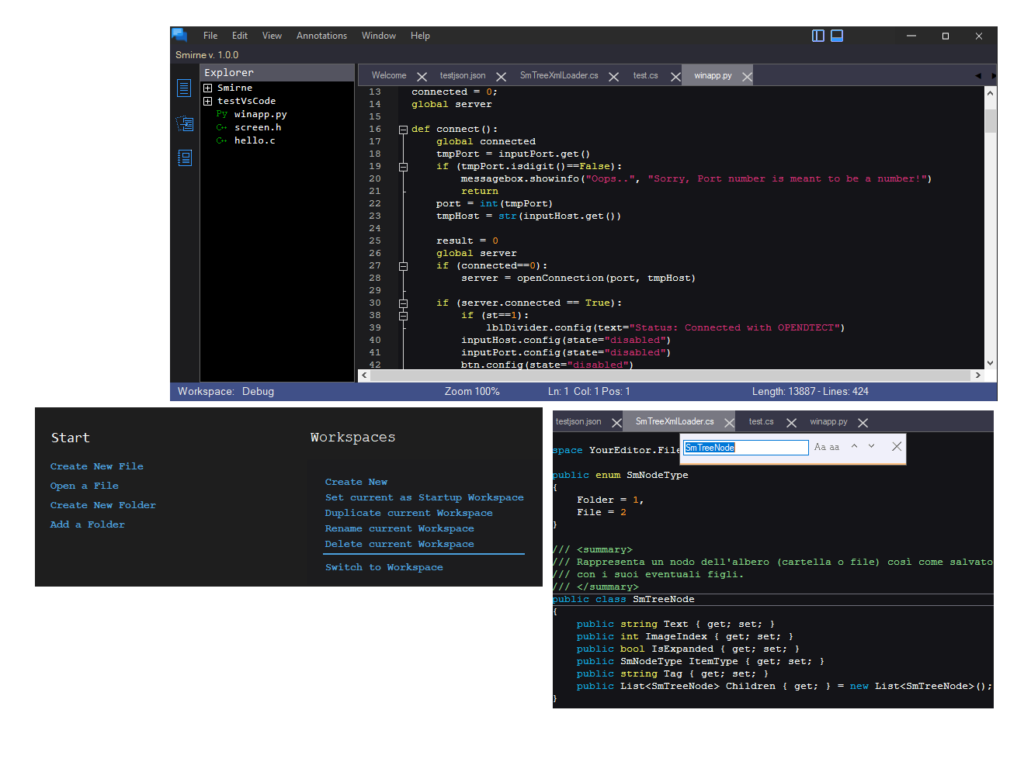
Welcome, I’m a new comer!
Smirne is a code editor for Windows: fast, tidy and pleasant to use every day.
Smirne grows with the people who use it. Every suggestion, every idea and every bug report helps decide what comes next: which features to build, which problems to fix first, and how the editor should feel to work with. It is not a product handed down from above, but software shaped by its community, one release at a time. That is why your voice matters. If something does not work as it should, report it. If a feature is missing, ask for it. If you have an idea that would make your day easier, share it. Even the smallest detail can make Smirne better for everyone. Smirne belongs to everyone who wants to use it. You can download it and use it freely at home, at school or at work. There are no subscriptions, no sign-ups and no adverts.
Write code comfortably
Syntax highlighting for C#, C and C++, Java, Python, JavaScript and TypeScript, HTML, CSS, XML, JSON, YAML, Assembly and plain text.
Organise your work
Workspaces: separate working environments, each with its own folders, open files and settings. You can create, duplicate and rename them, and choose which one opens at start-up.
Work safely
Smirne watches the files and folders you have open: if another program changes them, it tells you and asks what you would like to do.
Notes & Tasks
Keep your ideas, reminders and to-dos right next to your code. Organise them into categories, track their status and due dates, and archive them once they are done.
Where we are heading.
Smirne is designed to become far more than a basic editor. These are some of the developments on the roadmap.